







How to Track Your Spousal Sponsorship Application in Canada: AOR, Ghost Updates and GCMS Notes

The hardest part of a spousal sponsorship application is not the paperwork. It is the waiting. Weeks go by with no update. The tracker changes a date but shows nothing else. Someone in a forum reports receiving a decision after nine months. Your file is at twelve months with no movement. The anxiety is real, and it compounds with every passing week of silence.
This guide gives you a clear, accurate framework for understanding your application’s status at every stage, what each tracker message means, when a ghost update is meaningful and when it is not, and when and how to use GCMS notes to see inside your file in a way the tracker never shows you.
Step 1: Understand What the AOR Actually Confirms
The Acknowledgment of Receipt (AOR) is the first meaningful milestone after submission. It is a letter or email from IRCC that confirms two things: your application has been received, and it has passed the completeness check, also called the R-10 review.
What the AOR does not confirm: it does not mean your application has been assessed in any way. It does not mean the relationship has been evaluated, the sponsor has been found eligible, or any admissibility determination has been made. It is simply confirmation that your file has been opened and is in the processing queue.
The AOR includes your application number, which you will use to track the file online. Without the AOR and the application number, you cannot link your file to an IRCC secure account for tracking purposes, and you cannot submit an ATIP request for GCMS notes.
When to expect your AOR:
Most applicants receive their AOR within 4 to 8 weeks of submitting a complete application. If it has been more than 10 weeks and no AOR has arrived, check your spam folder first, then confirm your application was successfully submitted through the Permanent Residence Portal, and use the IRCC webform to inquire. Do not contact IRCC before the AOR if your application has been submitted fewer than 10 weeks ago.
Wondering whether your AOR delay is normal or a red flag?
Book a ConsultationStep 2: Link Your Application to the IRCC Secure Account
Once the AOR arrives, the sponsored person (the person being sponsored for PR) can create an IRCC secure account and link the application to it using the application number from the AOR. This is the account that shows the Application Status Tracker and receives all secure messages, document requests, biometrics instructions, and other IRCC communications.
The sponsor can also request access to the sponsored person’s application information, but this requires written consent from the sponsored person authorizing IRCC to share their information. Both parties should actively monitor the IRCC secure account throughout processing. IRCC communicates through this account, and missed messages with response deadlines can result in application abandonment.
Need help setting up tracking the right way?
Talk to an AdvisorStep 3: Read the Application Status Tracker Accurately
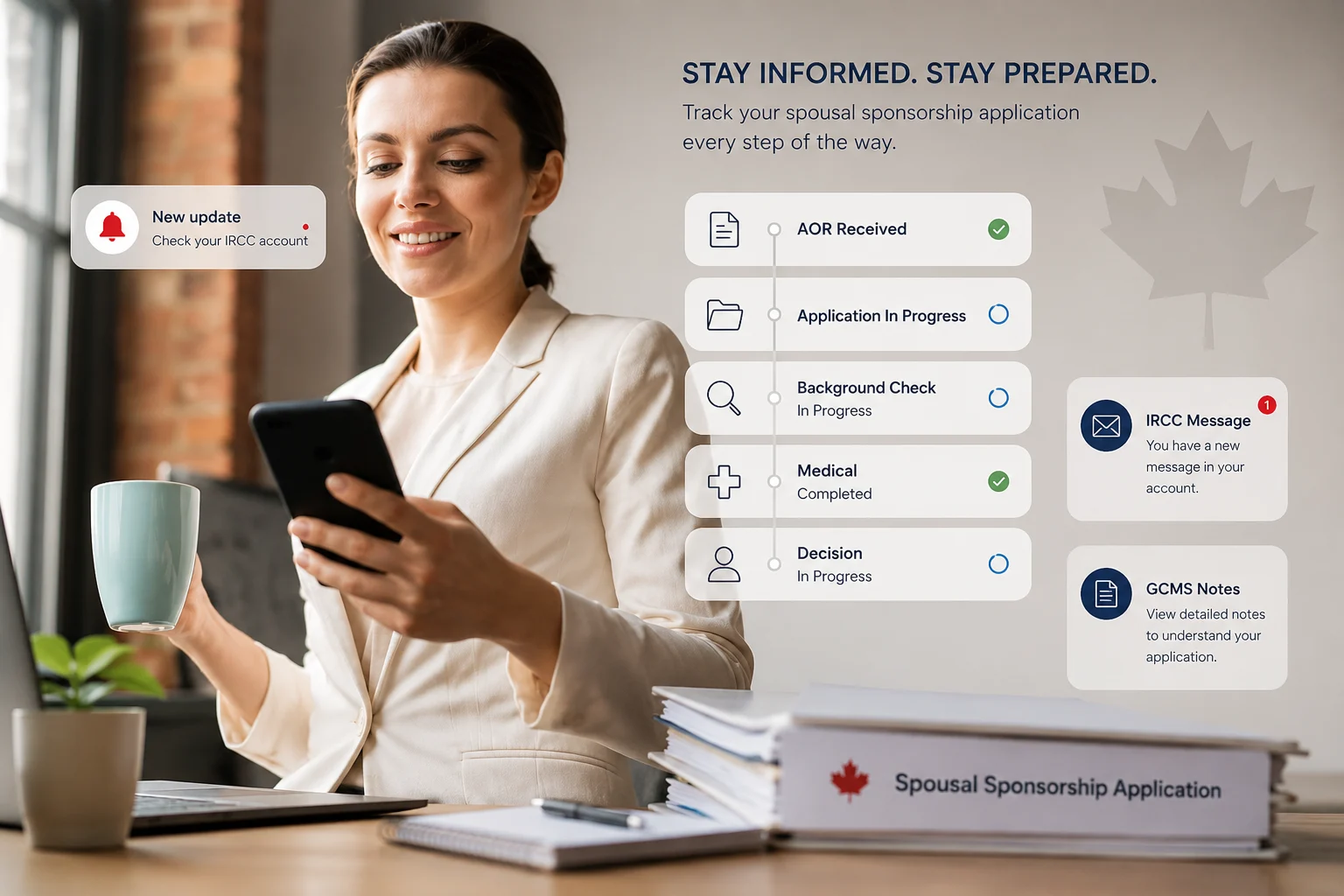
The IRCC Application Status Tracker shows high-level status for the overall application and sub-statuses for individual sections. Understanding what each status means prevents both unnecessary panic and dangerous complacency.
Status Label What It Means Received IRCC has received your submission and is conducting the completeness check (R-10 review).
In Progress Your application has passed the completeness check and is being actively processed.
| Status Label | What It Means |
|---|---|
| Received | IRCC has received your submission and is conducting the completeness check (R-10 review). This status appears before the AOR is issued. |
| In Progress | Your application has passed the completeness check and is being actively processed. The AOR has been issued. Sub-sections may show Not Started, In Progress, Completed, Waiting on You, or Exempted. |
| Not Started | IRCC has not yet begun reviewing this specific section. Normal at various stages. |
| Waiting on You | IRCC has sent you a request for additional documents, updated information, biometrics, or another action. Check your IRCC secure account and secure messages immediately. Respond within the stated deadline. |
| In Progress (subsection) | IRCC is actively reviewing this section of your application, such as background checks or medical admissibility. |
| Completed (subsection) | IRCC has finished reviewing this section. A completed section does not always mean approved — it means the review is done and the result has been recorded. |
| Exempted | You do not need to complete this section. Common for applicants exempt from biometrics or medical examinations under specific circumstances. |
| Date Modified changed, nothing else | This is a ghost update — a backend action that does not trigger a visible status change. Most common causes: file transferred between offices, officer accessed the file, a background system field updated. |
The tracker is a summary. It does not show the detailed, officer-level view of your file. For that, you need GCMS notes.
Date Modified changed, nothing else This is a ghost update — a backend action that does not trigger a visible status change.
In Progress (subsection) IRCC is actively reviewing this section of your application, such as background checks or medical admissibility.
Completed (subsection) IRCC has finished reviewing this section.
Not Started IRCC has not yet begun reviewing this specific section.
Waiting on You IRCC has sent you a request for additional documents, updated information, biometrics, or another action.
Confused by what your tracker is showing? Get an expert read on it.
Get a Case ReviewWhat Are Ghost Updates and Should You Worry?
A ghost update occurs when the Date Modified field in your IRCC secure account changes, but no visible status label changes. The date on the portal ticks forward. Nothing else appears different. This happens regularly throughout the processing of a spousal sponsorship application and is one of the most anxiety-inducing experiences applicants report.
Ghost updates are not official IRCC terminology. The phrase was coined by applicant communities to describe backend system actions that do not surface in the tracker. Common causes include:
Common causes include: The file being transferred from one processing centre or visa office to another.
- The file being transferred from one processing centre or visa office to another.
- An officer accessing the file to review a section or add a note.
- An internal system field being updated, such as a background check progressing to a new status.
- A document being received and recorded on the file.
- A routine administrative action that does not trigger an external status change.
Ghost updates do not predict a positive or negative outcome. They are not system errors. They generally indicate that activity is happening on your file rather than it sitting untouched. They carry no inherent meaning about the content of what changed. If you have received multiple ghost updates without a status change for several months, that is a reasonable trigger to order GCMS notes and see what is actually recorded on the file.
Warning: There is a persistent myth in applicant communities that a specific number of ghost updates signals approval or refusal.
Warning:
There is a persistent myth in applicant communities that a specific number of ghost updates signals approval or refusal. This is not true. Ghost updates do not correlate with outcomes in any documented way. The only reliable way to understand what a ghost update reflects is to order GCMS notes after receiving one.
Worried about silent ghost updates on your file?
Get Expert HelpHow to Contact IRCC When Tracking Is Not Enough
IRCC offers two channels for applicants to seek updates beyond the online tracker.
The IRCC Webform. Available at canada.ca, the webform is the primary way to contact IRCC about an existing application. Use it when: your application has been processing for significantly longer than the published timeline, you received a request you cannot locate in your account, you need to update personal information such as a change of address or marital status, or you believe a technical error has affected your file. Do not use the webform to simply ask whether your application is progressing on schedule. Reserve it for specific issues.
The IRCC Call Centre. Available at 1-888-242-2100, the call centre can provide high-level status information but cannot access detailed officer notes or override processing decisions. Agents can confirm whether a request was sent, whether biometrics were received, and whether a medical examination is on file. They cannot tell you what an officer decided or when a decision will be made.
Neither channel can speed up processing. They exist to help applicants identify and resolve specific issues, not to follow up on applications that are simply in the queue.
Need help drafting a webform inquiry that actually gets results?
Book a ConsultationGCMS Notes: Seeing Inside Your File
Global Case Management System (GCMS) notes are IRCC’s internal records for your application. They contain officer assessments, notes made at each processing stage, background check statuses, medical review progress, eligibility findings, dates of all key milestones, and the detailed internal narrative of everything that has happened to your file since submission.
None of this is visible through the online tracker. GCMS notes are the only way to see what is actually recorded on your file at the officer level.
What GCMS Notes Can Reveal
- Whether the sponsor eligibility review has been completed and what the outcome was.
- Whether the relationship genuineness assessment has been initiated or completed.
- The current status of background and security checks.
- Whether the medical examination has been received, reviewed, and what the finding was.
- Whether a Procedural Fairness Letter has been issued and is awaiting a response.
- Whether an interview has been requested or scheduled.
- The specific reasons for any officer concern, refusal, or hold on the file.
- Internal notes made by officers that provide context for tracker statuses that appear static.
How to Request GCMS Notes
GCMS notes are requested through an Access to Information and Privacy (ATIP) request submitted to IRCC under the Access to Information Act. The process is as follows:
Whether a Procedural Fairness Letter has been issued and is awaiting a response.
- Wait until after your AOR has been received. GCMS notes are only available after the R-10 completeness check has been passed and a file has been opened.
- Go to the IRCC ATIP portal at canada.ca/en/immigration-refugees-citizenship/corporate/transparency/access-information-privacy/requests-information-act.html or submit by mail.
- Submit under the Access to Information Act (ATI). The fee is $5 CAD. The request requires your full name, date of birth, address, application number, and Unique Client Identifier (UCI) number.
- If the sponsored person is outside Canada, they cannot submit an ATIP directly. The sponsor (if a Canadian citizen or PR) can submit on their behalf using the Consent for an Access to Information and Personal Information Request form (IMM 5744).
- IRCC must respond within 30 calendar days. Notes arrive as a password-protected PDF by email, typically 20 to 30 pages but sometimes significantly longer for complex files.
When to order GCMS notes:
The ideal time is 2 to 3 months after receiving your AOR, once meaningful processing stages have been recorded. Order again if your application has been static for several months with no status changes, if you receive a Procedural Fairness Letter, or if your application has been refused and you need to understand the specific grounds for refusal before deciding on next steps.
Need help interpreting GCMS notes you have already received?
Talk to an AdvisorA Note From Can X Global Solutions
At Can X Global Solutions, we regularly help clients interpret GCMS notes as part of application monitoring and refusal review. The most important function of GCMS notes for our clients is post-refusal: the detailed officer reasoning recorded in a GCMS file often reveals grounds for refusal that are not spelled out clearly in the refusal letter itself. Understanding exactly what the officer found lacking is the starting point for building a stronger reapplication or an IAD appeal. If you receive a refusal and have not ordered GCMS notes, that should be your first step before deciding on any next action.
Frequently Asked Questions
What does it mean when my IRCC tracker shows ‘Waiting on You’?
It means IRCC has sent you a request and is waiting for your response. Check your IRCC secure account and your secure messages immediately. Every request from IRCC comes with a response deadline. Missing the deadline does not pause the application — it can result in the application being abandoned or decided without the information IRCC was seeking.
How long does it take to receive GCMS notes?
By law, IRCC must respond to ATIP requests within 30 calendar days. In practice, most requests are fulfilled within 20 to 30 days. The response arrives as a password-protected PDF by email, sent from ircc.atip-aiprp.ircc@cic.gc.ca. If no response arrives within 31 days, submit a status request through the ATIP portal or contact the IRCC ATIP division at atip-aiprp@cic.gc.ca.
I received two ghost updates this week. What does that mean?
Ghost updates mean a backend action occurred on your file. Common causes include a file transfer, an officer accessing the file, or an internal field updating. They do not predict approval or refusal and carry no inherent meaning about the content of what changed. If you want to know what the updates reflect, order GCMS notes after 2 to 3 months of processing have passed.
Can I contact IRCC to speed up my application?
No. Contacting IRCC through the webform or call centre cannot accelerate a file that is in the normal processing queue. Use those channels to report specific issues, update information, or follow up on a request — not to inquire whether your file is moving on schedule.
I ordered GCMS notes but they are difficult to read. What should I look for?
Focus first on the sections titled Notes 1, Notes 2, and so on, which contain officer observations. Then look at the fields showing R10 status (completeness check result), eligibility review status, background check status, and medical status. If your notes contain officer language you cannot interpret or a concern you do not understand, seek professional advice before responding to anything IRCC may be waiting on.
If your notes contain officer language you cannot interpret or a concern you do not understand, seek professional advice before responding to anything IRCC may be waiting on .

Inland vs Outland Spousal Sponsorship Canada 2026: Which Stream Is Right for You?

Spousal Open Work Permit Canada 2026: How to Work While Your PR Is Processing

Who Can Sponsor a Spouse to Canada in 2026: Full Eligibility Guide

Spousal Sponsorship Canada Documents Checklist 2026